Welcome to Journey.do
Connect, Grow, Thrive, Inspire
Journey.do is a learning platform that connects you with the opportunities and people to thrive in life. You can even earn Microcerts as you connect to peers, grow your skills, create stories, and inspire others. While there is no ‘correct’ order for what you should do first, below are pointers for using the platform.
Getting Started
Getting Started
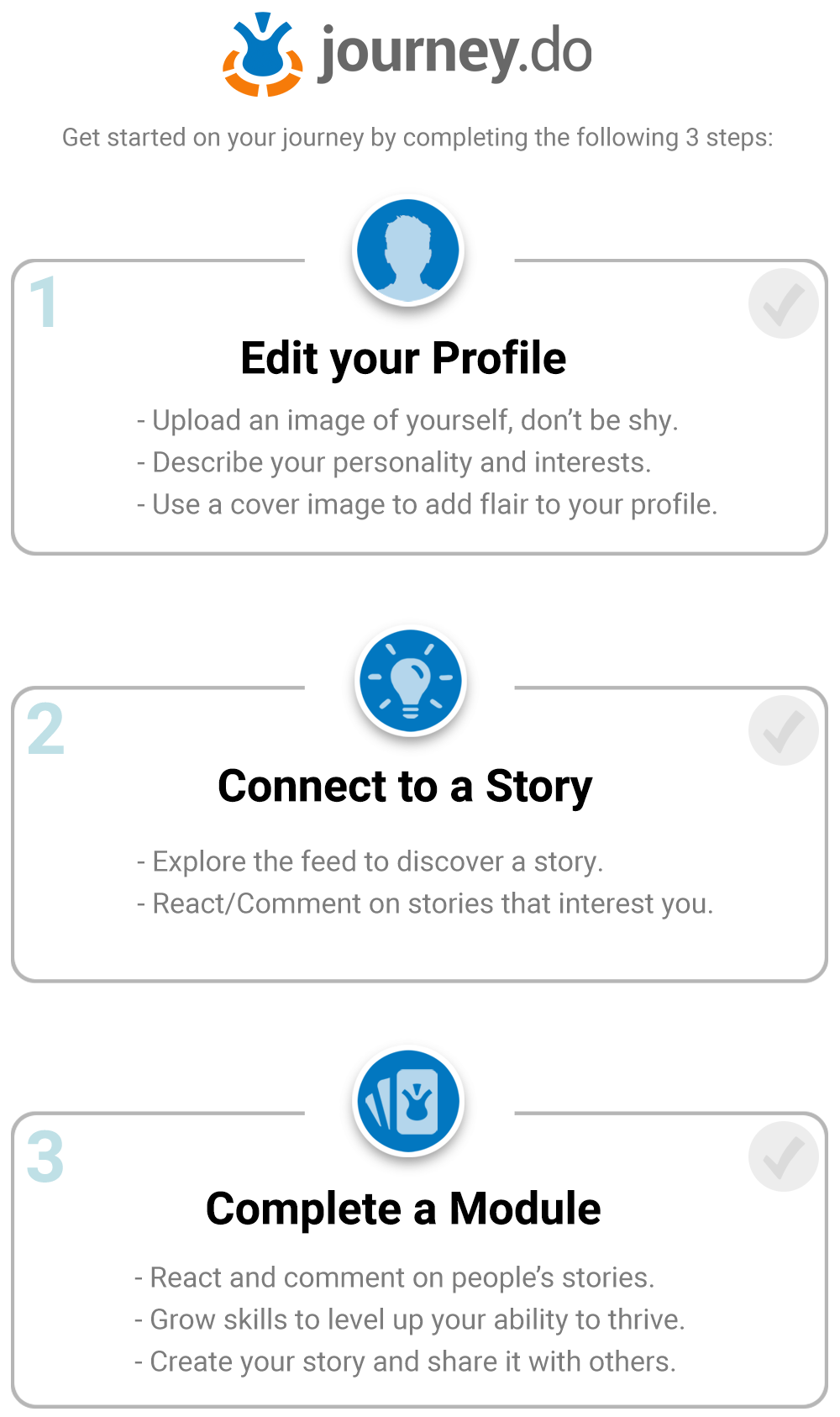
When you first enter Journey.do you will notice on the top of your homepage is a “New? Start Here.” dynamic button with check boxes in it. If you click on it you will see your three initial tasks.
- Edit Your Profile – click on the circle image in the top right and select “My Profile.” Then, hit the edit profile button, which will allow you to upload an image of yourself, and a background image along with a brief about me description.
- Connect to a Story – scroll through the feed until you find the name of a story that might interest you and click on the cover image to open up the story and react to it with an emoji or comment on it if you are inspired.
- Complete a Module – you can click on the Module button under a story or click on the Modules Icon to visit the Modules page. Find an area that interests you, read the goal, connect with stories, complete the grows, and submit your own story on the apply page.
Home
Home
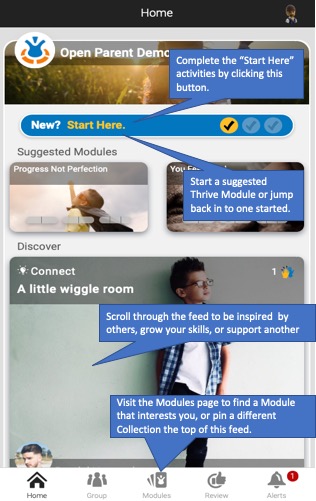
Depending on your group, the first tab you see will be the Home tab. You will see a "New? Start Here?", designed to help you setup your account and learn the basics of using Journey.do. This will disappear once you completed those three tasks. There might also be a group message listed here.
After that, you will also see "Suggested Modules" based on your existing progress or recommended by your group facilitator. Click on any of these Modules to begin any of these. There might also be a Pinned Certificate shown here. When you pin a Certificate, the "Discover Feed" will show cards primarily related to that Certificate.
On the right side (or below next steps depending on size of your device), there is a scrolling feed, where you can discover and connect to stories shared by others. You can also find additional modules and growth experiences here.
If enabled for your group, you might also see an area to share Posts at the top of your feed. When you leave this tab, you can click the HOME icon at bottom to return to this page at any time.
Groups
Groups
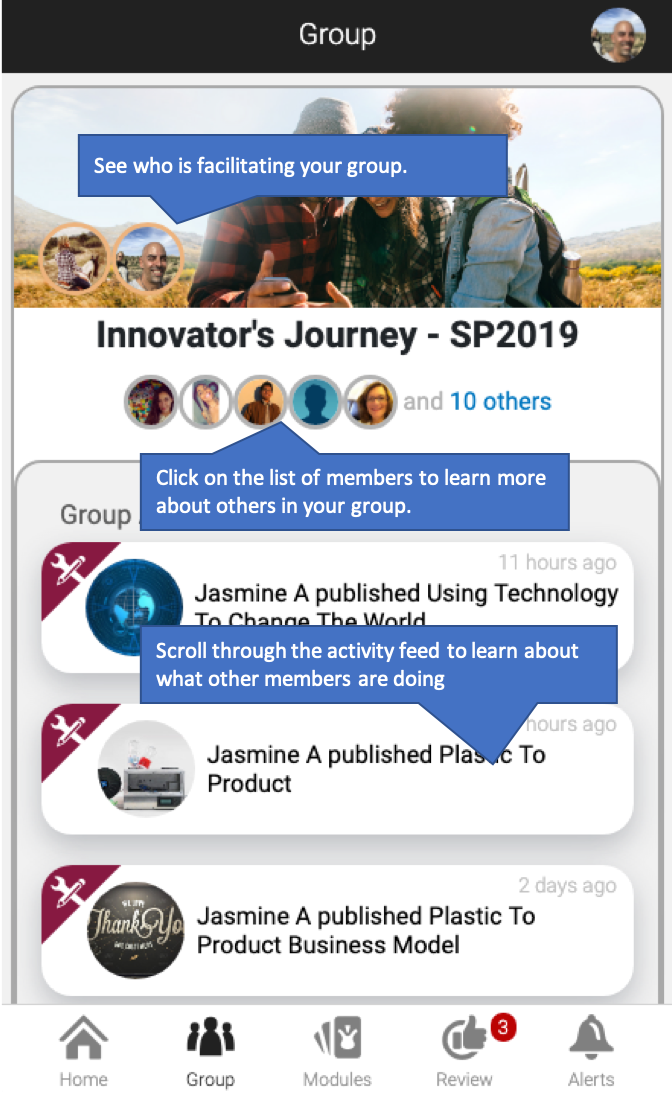
Here, you can see all your group members, and keep up-to-date on what activities other members have been doing. This is a scrolling list of all activity, recorded by date. You can also filter the list to show, for example, only published stories.
Each Group is led by a ‘Champion’ (facilitator) who is available to support your growth.
Each group can also include one or more “libraries,” which contain one or more Certificates. You can switch libraries using the group selector if you click on your avatar in the top right and select Switch Group.
Note that when you Publish a Story within a Module, you have the option of keeping it private (you and the reviewer), only Group members can see it (only this group), or anyone in the Community that your group is a part of can see it.
Modules
Modules
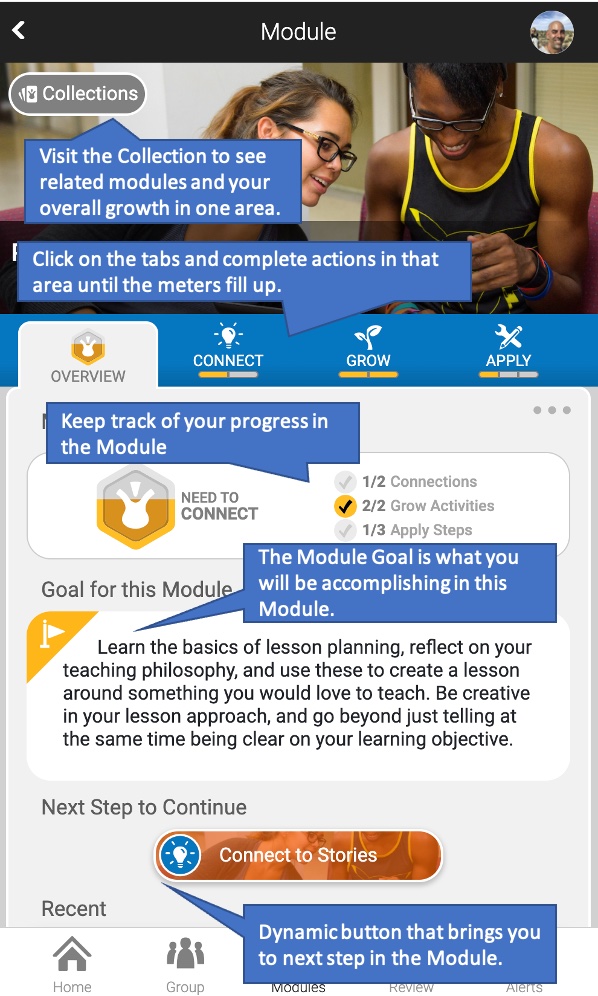
Navigate to the Library or follow links after any story to view a module. Modules are growth experiences with a particular focus. Completing a module requires that you connect to stories from others, complete activities to grow your skills, and applying what you learn to thrive in the world and then share a story about your experience.
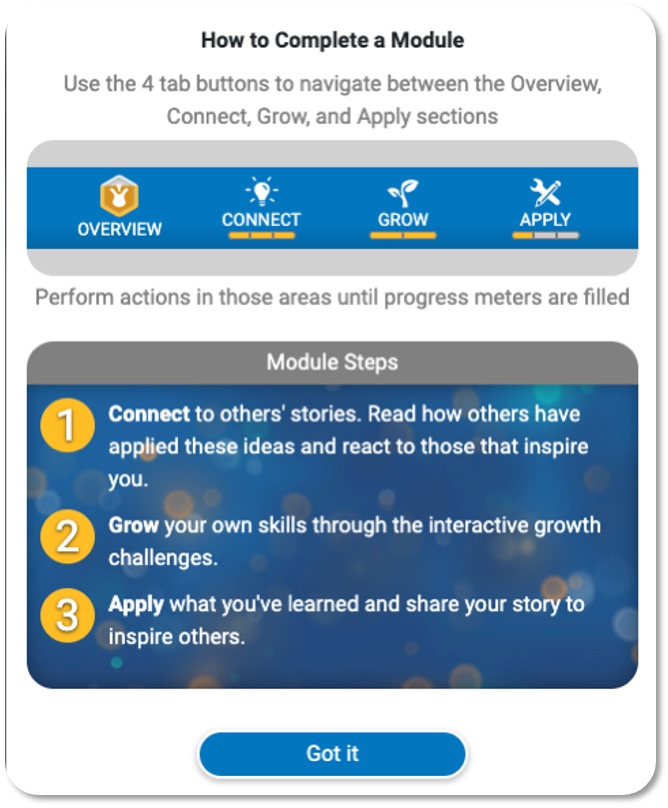
To support your ability to Thrive, modules have 4 stages:
- Explore the overview, read the Module goal to determine if you want to make progress in this area.
- Connect to others’ stories. Read how others’ have applied these ideas and choose an emoji to react to those that inspire you.
- Grow your own skills through the interactive growth challenges.
- Apply what you’ve learned and share your story to inspire others.
Each module also shows a summary for your progress within it, as seen in the 3 circles that fill with gold (for Connect, Grow and Apply).
Certificates
Certificates
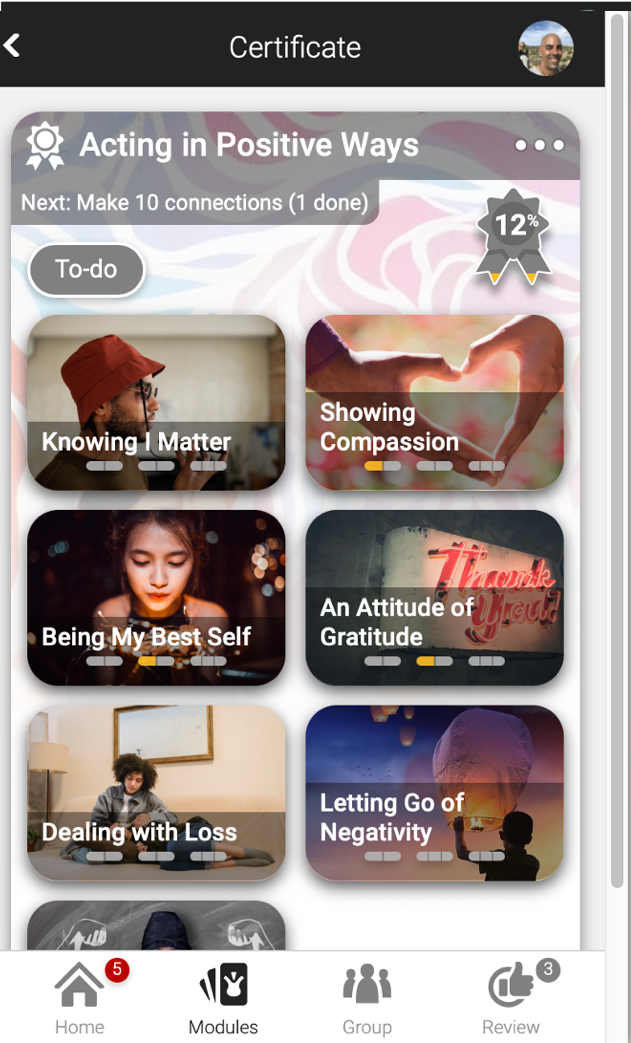
Certificates are earned by making meaningful progress in a growth area. Certificates are awarded and can be printed out when all main tasks have been completed. To see alll availalble Certificates click on the MODULES tab and then scroll down the page. You can make progress on more than one certificate at a time, in any order.
Certificates contain to-do lists. While many items can be done in any order, the suggested next task for the Certificate is often displayed. You can also click on the To-do button to see all items and your progress on each of the item tasks. Follow your % completed score on the badge as you advance or complete each task.
The Certificate Badge is the ribbon that displays what percentage of all required sub-tasks you have completed. If the To-Do Task is to Author 4 Accepted stories, then it means you have to author, submit, and get accepted 4 stories to complete that item.
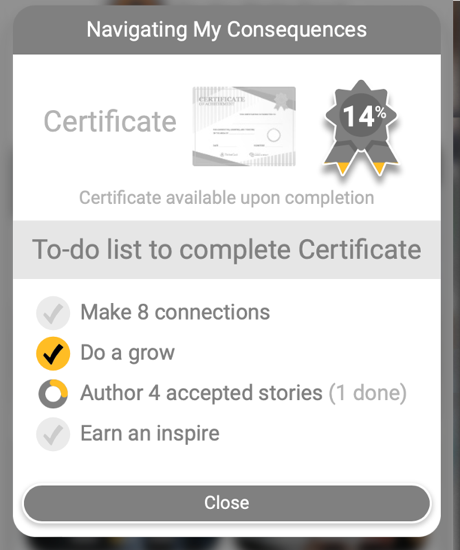
When you complete all required tasks the ribbon will display 100%. When the Certificate is 100%, you can download a printable version.
- All required tasks need to be completed to earn Certificate.
- Some to-do items require you to do multiple things. For example, if the task is "Make 4 connections," you must connect (by leaving a reaction or comment) to four stories.
- Optional tasks are suggested, but not required.
Inspire
Inspire
Inspire points are displayed at the Collection level, and they illuminate how much you are supporting others in your community. It can be thought of as a measure of community citizenship, and is an essential part of any platform.
There are two ways you can earn inspire points:
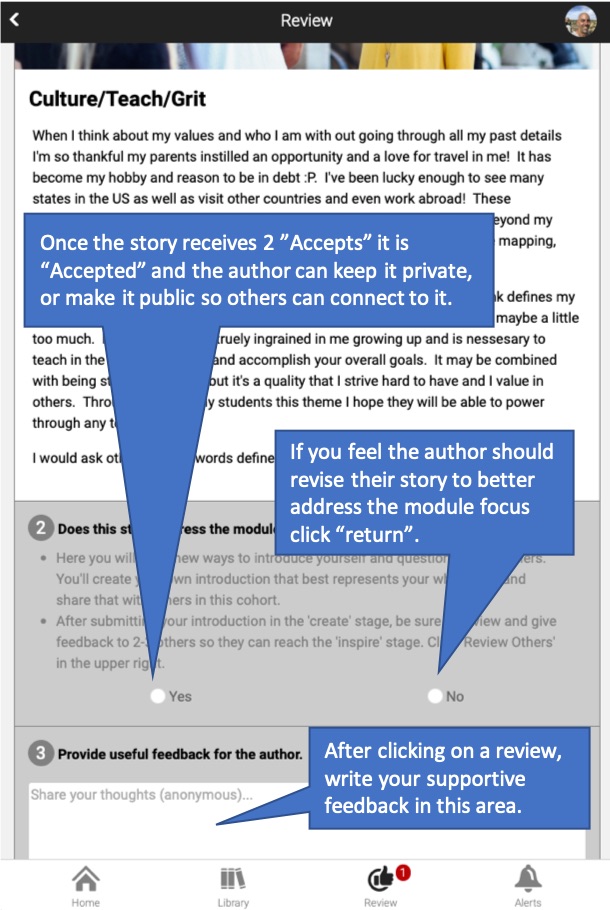
- If your story is accepted by two reviewers you can then keep it private or make it public for others to connect to your ideas. If public, you earn 1 inspire point for making it public (group or community visibility) and you can earn inspire points when others comment on your story.
- In some groups, you can review stories submitted by others. Reviews are anonymous so neither the author or reviewer see the other person’s name. You can earn 1 point for doing a quality review.
* Reviews are credited to the group you were in when clicking on
the review page.
** Stories earn inspire points only for the Certificate and Group
in which they were submitted.
Inspiring others supports their growth, but has also been found to be essential for the growth of the inspirer.